Smart Shades Automation for South-Facing Sunroom Glare Control
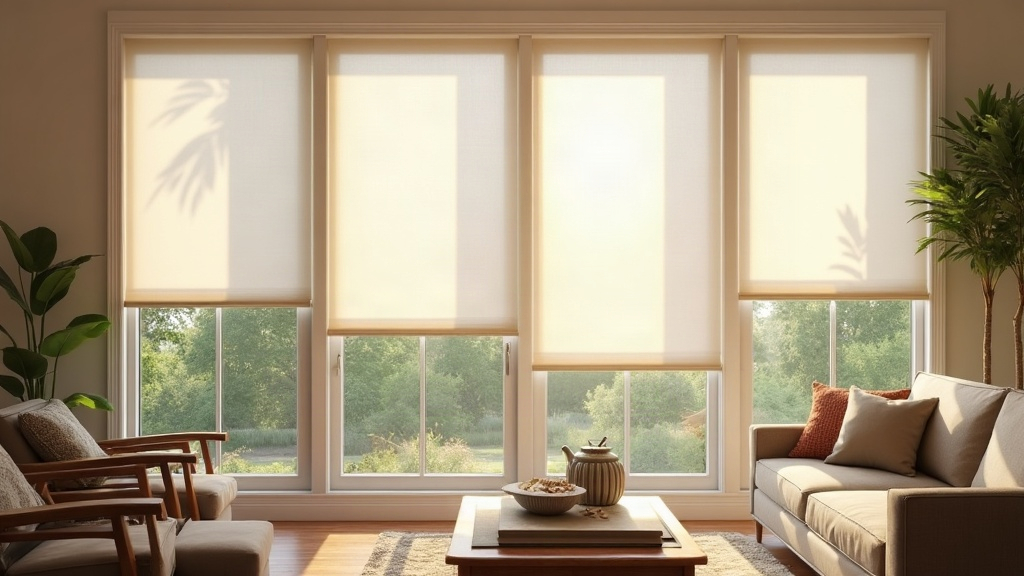
A South-facing sunroom catches more sun than any other room orientation in the Northern Hemisphere. That’s the whole problem. Between 10 a.m. and 4 p.m., it can turn into a room nobody wants to sit in unless you’ve got the right shading strategy in place. Smart shades automation fixes this by pairing motorized shades with light sensors, sun-position schedules, and app-based scenes that quietly adjust coverage all day long, no manual fiddling required. Here’s a real-world plan for setting it up.
Why South-Facing Sunrooms Are a Special Case
East and West windows get sun in predictable chunks. South-facing glass is different: it gets sun almost the entire day, just from shifting angles.
- Low morning and late-afternoon sun hits right at eye level and causes real glare.
- High midday sun bakes the room and slowly fades furniture and flooring.
- Seasonal shifts change everything. The sun’s angle in January sits much lower than in July, so whatever position works in winter will be wrong by summer.
This is exactly why static blinds or “set it once” timers don’t cut it. The glare problem moves throughout the day, then shifts again month to month. You need automation that actually tracks that movement.
Core Components You Need
- Motorized shades. Cellular, roller, or solar screen shades with a quiet DC motor. Look for something under 45 dB so it doesn’t interrupt a video call or a quiet afternoon with a book.
- A hub or bridge. Lutron Caséta, SmartThings, or a Matter/Thread-compatible hub, depending on which shade brand you go with.
- A light or UV sensor. Some shade systems build this in (Lutron’s Serena line, for instance). Otherwise a standalone sensor like Aqara or the Hue outdoor sensor works fine, mounted on the sunroom’s exterior wall.
- An app with astronomical scheduling. Apple Home, Google Home, the Lutron app, Hubitat, most of the major platforms support sunrise/sunset-relative triggers. These matter far more than fixed clock times when you’re fighting glare.
Step-by-Step Automation Setup
1. Map Your Glare Windows
Pick one day and just watch. Note exactly when direct sun hits eye level in your main seating area. You’ll usually find two windows: shortly after sunrise, and a few hours before sunset. Midday sun in a South-facing room tends to sit more overhead, so it’s hot but rarely blinding.
2. Build Sun-Angle-Based Scenes, Not Just Timers
Set up at least three scenes:
- “Morning Glare” — shades drop to 50-60% around sunrise plus one hour, but only in spring and summer when the sun sits low.
- “Midday Heat” — shades close to 70-80% between 11 a.m. and 3 p.m. in summer to cut heat gain, while staying open at 20-30% in winter so you get free passive warmth instead.
- “Evening Glare” — shades drop again one to two hours before sunset.
Platforms like Lutron and Hubitat let you write rules such as “close shades when sun elevation drops below 20 degrees and azimuth sits between 160-200 degrees.” That’s a lot more precise than “close at 4 p.m.,” which breaks down the moment the season changes.
3. Layer in a Light Sensor for Cloudy-Day Overrides
A pure schedule falls apart on an overcast day, when shades close for glare that isn’t even there. Add a lux sensor set to trigger only above roughly 3,000-5,000 lux. That keeps the room bright on cloudy afternoons instead of dimming it for no reason.
4. Add Manual Overrides
Keep a physical remote or wall switch around, and set up a voice command (“Hey Google, open sunroom shades”) for guests or quick fixes. Automation should make life easier, not take away the option to just reach over and adjust things yourself.
5. Seasonal Re-Tuning
Check your scenes twice a year, roughly around the equinoxes. The sun’s elevation shifts about 47 degrees between solstices, so a scene tuned for July simply won’t hold up in December. Five minutes of adjusting in March and again in September keeps everything accurate.
Material Choice Matters Too
- Solar screen shades (5-10% openness) cut glare while keeping the view intact, a good fit if the sunroom doubles as a home office.
- Blackout cellular shades make more sense if the room is used as a media space or guest bedroom.
- Dual shades (sheer plus blackout in one track) give you the most range, letting automation pick a light sheer for daytime glare and switch to full blackout when you need heat control or privacy.
Common Mistakes to Avoid
- Leaning on time-of-day schedules alone, with no sun-position logic behind them.
- Mounting the light sensor indoors, where the glass distorts the reading. Put it outside instead, somewhere the shades themselves won’t cast a shadow over it.
- Ignoring pets and plants. If the cat has a favorite sunspot, or you’re growing something that needs full sun, some automations should pause rather than block it automatically.
Conclusion
Fixing glare in a South-facing sunroom was never about buying the most expensive shades on the market. It comes down to sun-position-aware scheduling, a sensor that actually works, and tuning the system twice a year so the room adjusts itself before you even register the glare. Start with one well-built scene, run it for a week, then tweak from there. Give it a season and the room that used to be “too bright to sit in” becomes the one everyone fights over.