Thread Devices Dropping Off Mesh After Firmware Updates: Fixes
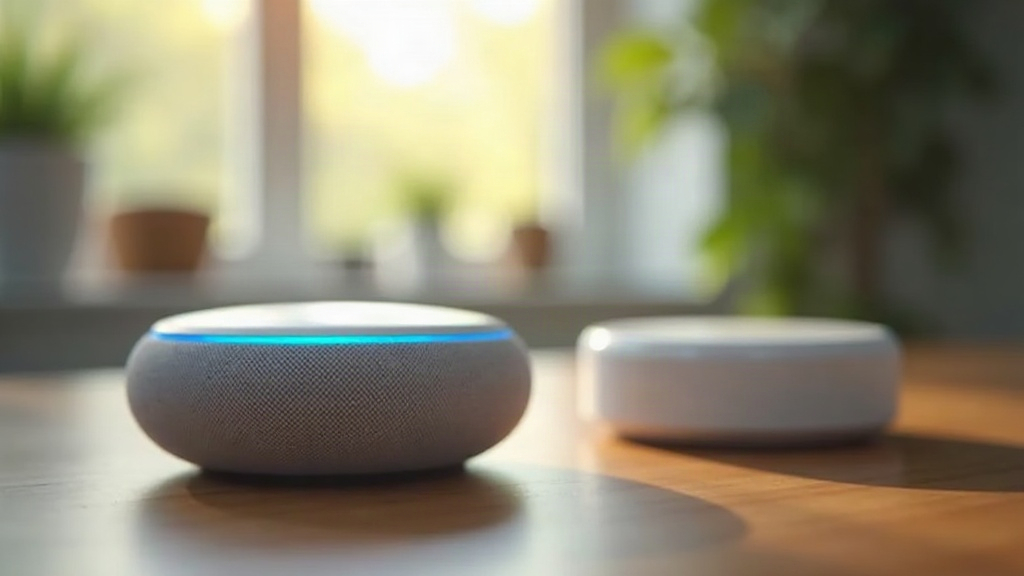
If your Thread devices keep falling off the mesh right after a firmware update, you’re not alone, and you’re not stuck. This is one of those smart home problems that looks scary (devices just vanish from the app) but is usually fixable in ten minutes without nuking your whole network. The root cause is almost always the same: firmware updates mess with network keys, reset radio channels, or temporarily sever the parent-child links that hold a Thread mesh together. A full factory reset is rarely needed. A structured reset-and-rejoin usually does the trick.
Why This Happens After Updates
Thread is a mesh protocol. Devices relay data to each other instead of phoning home to a central hub directly. That’s the whole point of it, actually, better range and resilience. But it also means an update on one device can ripple outward. When a device updates its firmware, it can:
- Change its Thread stack version, which can make it briefly incompatible with neighboring routers still running older code.
- Reboot into a new network state, wiping its cached parent/child table and forcing it to rediscover the mesh from scratch.
- Switch radio channel or PAN ID, especially if the border router pushed new credentials during the same update window.
- Lose its commissioning credentials, which happens more often than you’d think when an app or hub firmware push lands at the same time (common with Google Home, Apple Home, and Amazon Echo border routers).
Here’s the part people miss: Thread end devices lean on “router-eligible” neighbors to stay online. So one router node going down mid-update can strand several devices downstream, including ones that never got an update at all.
Step 1: Confirm It’s Actually a Mesh Issue
Don’t touch any settings yet. First, figure out what you’re actually dealing with.
- Check whether only the recently updated devices are offline, or whether unrelated devices dropped too. The second scenario points to border router instability, not a single device problem.
- Pull up your hub app’s network topology map. Apple Home, Google Home, and most border router apps (Eero, Nest Hub) show this.
- Make sure the device actually has power and its LED isn’t stuck in a boot loop or sitting in pairing mode.
If several unrelated devices vanished at the same time, the problem is almost certainly your border router, not any one gadget.
Step 2: Restart the Border Router First
Before you power-cycle a single light switch or sensor, restart your Thread border router. That’s your Apple TV, HomePod, Eero, Nest Hub, or a Thread-capable Echo. This one step does three things:
- Forces a fresh broadcast of the active Thread network credentials.
- Triggers re-election of router-eligible devices if one dropped out mid-update.
- Clears out any temporary routing table corruption sitting in memory.
Give it 2-3 minutes after the restart before checking device status. Mesh re-formation takes a little time; it’s not instant, even if the app refreshes right away.
Step 3: Power-Cycle the Affected Devices
Still missing devices after the border router comes back? Move to this:
- Unplug the device, or pull the battery, for 30 seconds. Don’t rush this part.
- Power it back on and give it up to 5 minutes to rejoin on its own.
- Still nothing? Open your hub app and look for a “re-add” or “reconnect” prompt. Most ecosystems now detect orphaned Thread devices and offer a one-tap rejoin instead of a full re-pair.
Step 4: Remove and Re-Commission Stubborn Devices
Some devices just won’t cooperate. For those:
- Remove it fully from the app. Don’t just leave it sitting there as “offline,” actually delete it.
- Factory reset the device with its physical reset button (typically a 5-10 second hold).
- Re-pair it through the same app that manages your border router.
This wipes out any stale keys left over from before the update and generates fresh network credentials from scratch, which clears up the majority of stuck cases.
Step 5: Check for Firmware Mismatch
Sometimes the real problem isn’t the mesh at all, it’s a version mismatch between your border router’s Thread stack and the device’s new firmware.
- Check the manufacturer’s release notes for known Thread compatibility issues. This info is often buried but worth the five minutes.
- Update your border router’s firmware too, not just the end device. Mixed versions cause a surprising number of dropouts.
- If one specific brand, say a smart lock or a particular sensor, keeps dropping after every single update, search the vendor’s support forum. Odds are good it’s a known bug with a patch landing within days.
Preventing Future Dropouts
- Leave automatic updates on, but check your network 24 hours after any major push rather than immediately. A lot of these issues settle on their own within a day.
- Don’t update multiple Thread routers (hubs, Thread-enabled smart plugs) at the same exact moment. Stagger them if you can.
- Keep at least 2-3 router-eligible devices that are mains-powered, not battery. That redundancy means the mesh survives even if one router goes down mid-update.
Conclusion
Thread devices dropping off the mesh after a firmware update is, almost without exception, a credential or routing-table hiccup, not a dead device. Restart the border router first, power-cycle the stragglers, then re-commission anything still stuck, in that order. Keep a couple of mains-powered, router-eligible devices in the mix as a safety net, and future updates should cause fewer dropouts, maybe none at all.